Thinkcar Thinkdiag Car Diagnostic Scanner About
| Voltage |
12V |
| Compatible Engine Variant |
BS4 |
| Bluetooth Connectivity |
Yes |
| Usage/Application |
Car |
| Type |
OBD 1 |
| Language Type |
English |
| Operating System |
Android |
| Brand |
Thinkcar |
| Model Number |
TKD01 |
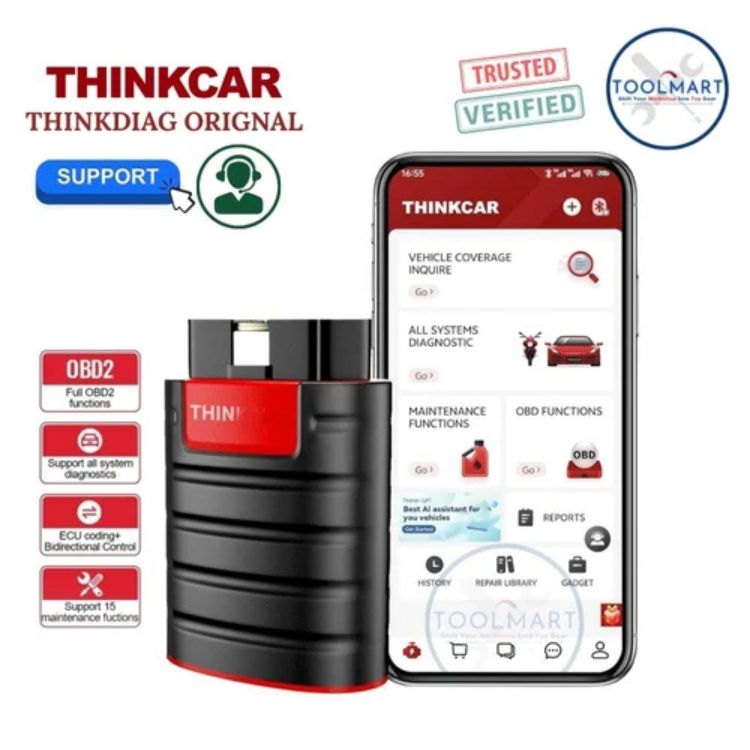
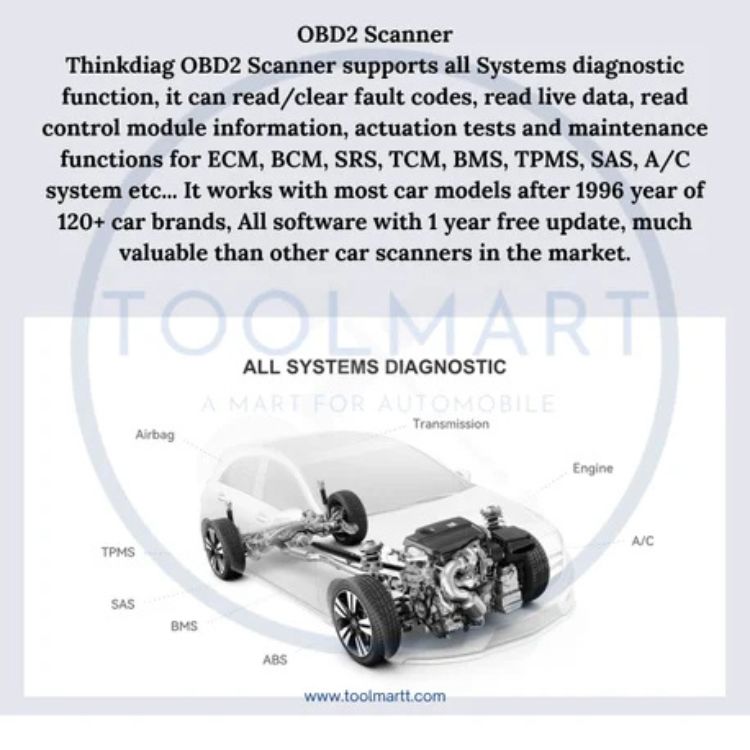
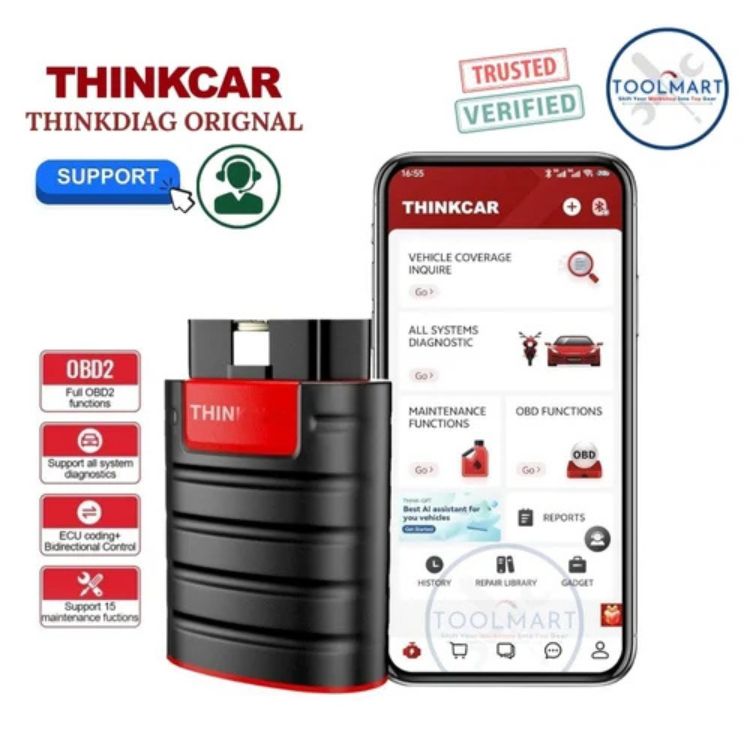
All Vehicle Systems Bluetooth OBD2 ScannerThe Thinkdiag OBD2 Scanner supports all Systems diagnostic function,
it can read/clear fault codes, read live data, read control module information, actuation tests and maintenance functions for ECM, BCM, SRS, TCM, BMS, TPMS, SAS, A/C system etc... It can works with most car models after 1996 year of 120+ car brand, All software have 1 year free update.
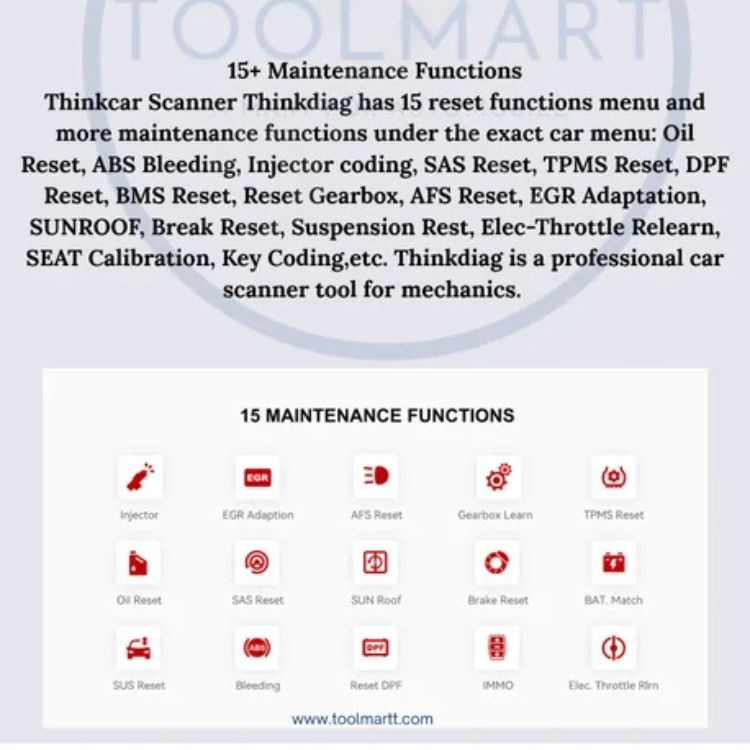
15+ Maintenance Functions Adaption / Initialization/ Matching Thinkdiag OBD2 Scanner has 15 reset functions menu and more maintenance function under the exact car menu:
Service Reset, ABS Bleeding, Injector coding, SAS Reset, TPMS Reset, DPF Reset, BMS Reset, ETS Reset, AFS Reset, EGR Adaptation, SUNROOF, SEAT Calibration, Key Coding etc.
Thinkdiag is a perfect diagnostic tool for initial level
1 year warranty with support
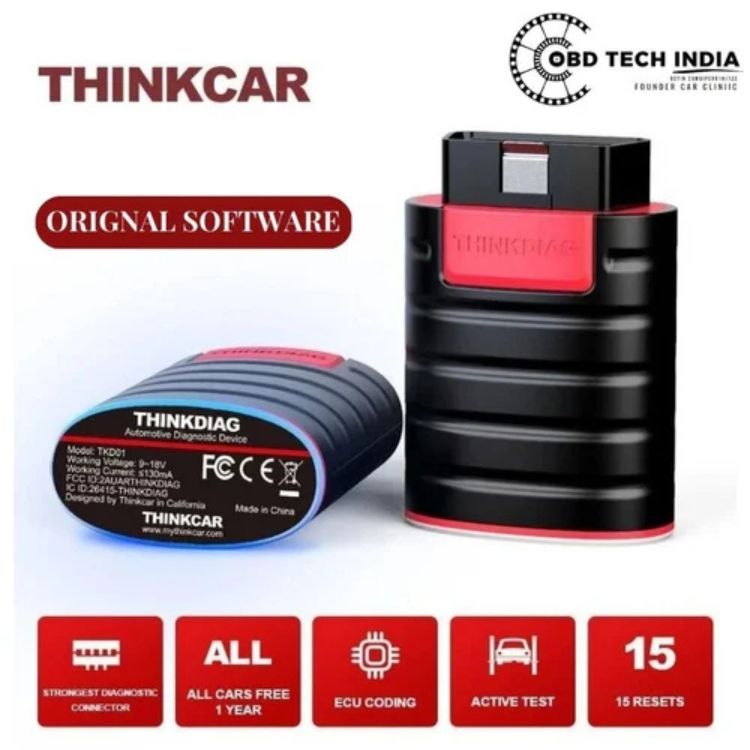
Thinkcar
Automotive Diagnostic Device
Model: TKD01
Working Voltage: 9-18V
IC ID:26415-Thinkdiag
Designed by :-Thinkcar in California
Compact and Versatile DesignWith a minimal footprint of just 6 cm by 2 cm, the Thinkcar Thinkdiag Scanner is tailored for on-the-go vehicle diagnostics. Its robust plastic casing ensures durability, while the black color provides a professional aesthetic ideal for various automotive settings.
Android-Compatible OperationThis diagnostic scanner seamlessly connects to Android devices, allowing you to run diagnostic checks directly through your smartphone or tablet. The user-friendly application ensures quick and efficient data retrieval, making automotive maintenance more accessible.
Reliable Performance with WarrantyOperating at 12V, the Thinkdiag Scanner is designed for optimal compatibility with most car systems. Its 18V pressure capacity and provided warranty ensure lasting reliability and secure usage, whether you're a dealer, service provider, or independent technician in India.
FAQ's of Thinkcar Thinkdiag Car Diagnostic Scanner:
Q: How do I operate the Thinkcar Thinkdiag Scanner using my Android device?
A: To use the scanner, simply connect it to your car's diagnostic port, then pair it with your Android smartphone or tablet via the designated Thinkcar app. Follow the on-screen instructions to begin your diagnostic scan.
Q: What types of vehicles can the Thinkdiag Car Diagnostic Scanner be used with?
A: This scanner is compatible with most cars operating on a standard 12V system. It is suitable for use by automotive businesses and individual users who need accurate scanning for maintenance and troubleshooting.
Q: When should I utilize the car scanner for maintenance purposes?
A: It is recommended to use the Thinkdiag scanner when warning lights appear on your dashboard, during regular maintenance checks, or any time you suspect there may be issues affecting your vehicle's performance.
Q: Where can I purchase or service the Thinkcar Thinkdiag Scanner in India?
A: The scanner is available through authorized dealers, importers, retailers, service providers, suppliers, and traders across India. Check with local automotive tool suppliers or reputable online marketplaces for availability.
Q: What is the process for diagnosing issues with this scanner?
A: Plug the device into your car's diagnostic port, connect to your Android device, open the Thinkcar app, and initiate a scan. The app will read data from your vehicle's systems, providing clear diagnostic codes and recommended actions.
Q: How does using this scanner benefit my car maintenance routine?
A: The Thinkdiag scanner allows for quick and accurate detection of car issues, reducing guesswork, saving time, and helping prevent costly repairs by catching problems early.
Q: Is there a warranty included with the Thinkcar Thinkdiag Scanner?
A: Yes, the product comes with a warranty, providing assurance of quality and support in case of manufacturing defects or operational issues.






 Send Inquiry


 Send Inquiry